Inputting the correct inventory amount for all the drop ship items you sell on Jedora will ensure that your customers know what’s in and out of stock before they are disappointed.
Follow the simple steps below to input drop ship inventory.
1) Find Inventory in the left navigation and select Manage Inventory.
The list of product listings that appear are ready to have their inventory quantity altered.
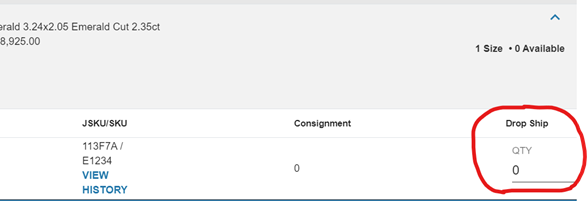
2) Enter in your item’s drop ship quantity in the rightmost field. Then, select Save.

If you have any questions or would like to speak to a member of our team, please call 833-453-3672 or email PartnerSuccess@jedora.com.